 Back to Home
How I got my blog to show whether I am alive or not
You may have noticed the small indicator in the navigation card of my blog. It tells you whether I am alive or not. Simple enough.
Morbid? Maybe a little bit, but also fun and practical I would say.
In this post I will explain how I set up an “alive indicator” on my blog, so that visitors can see if I am still around or not. 

The idea
I wanted my blog to be more than just a static collection of posts. It should contain something unique, something interesting. Sidestep - I myself sometimes get “eerie” feelings from static, outdated websites. I’ll be browsing some random blog that hasn’t been updated in years, no new posts, images, projects, nothing. It’s as if it was frozen in time, deserted, no one to bother updating it. Maybe they’re no longer around to update it? Will my blog one day give someone that same feeling? - anyways… I figured it would be cool if I could connect some real world, dynamic statistic and display it on my blog.
I had three requirements in mind:
- It should be free. I don’t want to have any (extra) (recurring) costs for this feature.
- It should be dynamic and give the blog a more “lively” feeling.
- It should be mostly fire and forget. I don’t want to spend more time on it once it’s developed.
The first concrete idea that came to mind, is the amount of steps I took every day. I wear an Apple Watch daily, so the data was there. I just had to collect and present it somehow. This however violated requirement 1, since I would likely need some sort of server  to store/process the steps. Heroku or Supabase could be free options, but I didn’t feel like bothering with that.
In line with the “health” theme, I thought showing an alive indicator could be funny. A visitor would quickly be able to see whether I, the blog author, would still be alive or not. Death is a confronting topic, so I was a bit hesitant, but it would be unique and adhered to the requirements I had laid out, so I set out to build it. 
How it’s built
If you think about it, being alive is a pretty binary state. You either are, or you aren’t. So I needed a way to represent this binary state on my blog. I wanted to avoid complexity, so looked at existing (and free) solutions to (mis)use. 
I stumbled upon healthchecks.io, a super cool monitoring service. They use the Dead man’s switch technique: the monitored system must “check in” with Healthchecks.io at regular time intervals. This looked perfect! Even though the product is intended to be used to monitor systems, what if I could use their Dead man’s switch technique to actually monitor whether I’ve passed?
Without diving into unnecessary details, the implementation is intentionally simple: I created a check to monitor my “alive status”, if I ping it at least once within 24 hrs.; I’m most likely alive. Then all I needed to do was use their API to display the status on my blog.
// Retrieve the check's status from healthchecks.io
await fetch('https://healthchecks.io/api/v3/checks/' + uniqueKey, {
    method: 'GET',
    headers: {
        'X-Api-Key': 'your_api_key' // Read only API key - no security concerns
    }
})
    .then(r => r.json())
    .then(obj => {
        // Show the status...
    });
Remember requirement 3? I wanted this feature to not require any further action. So I used Shortcuts on my iPhone to create an automation. Every day at midnight it pings the healthcheck, confirming that I am in fact still alive. This means everything works in the background, without my intervention. Nice!
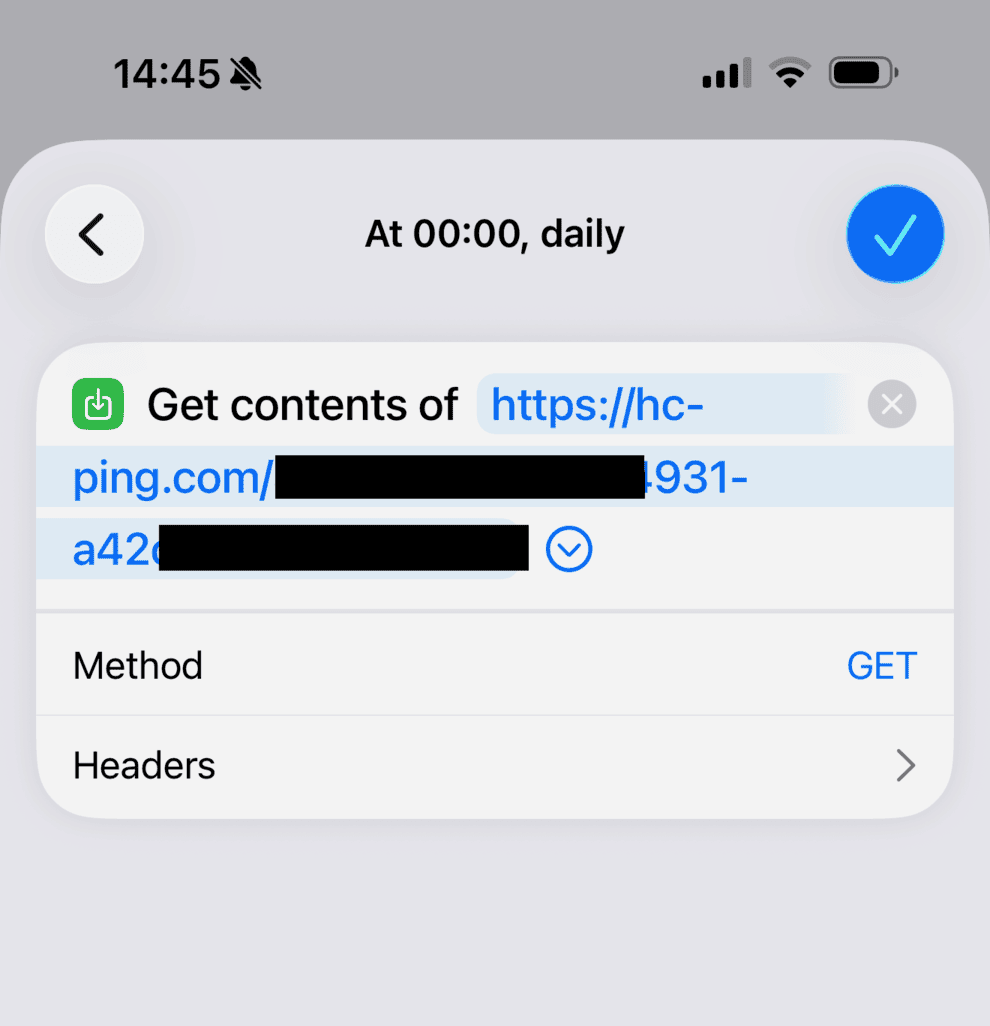
Shortcut that pings healthchecks.io every day at midnight.
Caveats
- This feature depends on healthchecks.io existing and maintaining their free plan.
- It was built with the assumption that my phone will at one point turn off and/or be factory reset once I pass away. If that does not happen, the blog will falsely claim I’m alive.
- If I forget to charge my phone for a prolonged period of time, the blog will falsely claim I’m not alive.
For now, I’m quite satisfied with this implementation. It was fun to build, and gives my blog a unique touch. Feel free to use the idea and code as you see fit 